Product details
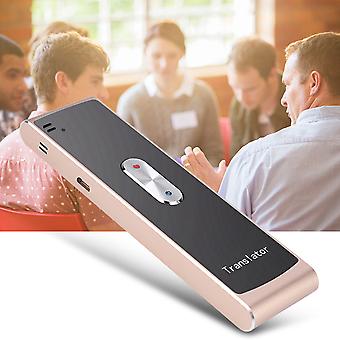
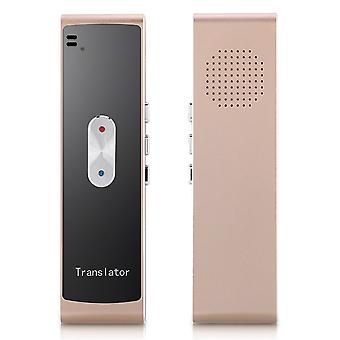
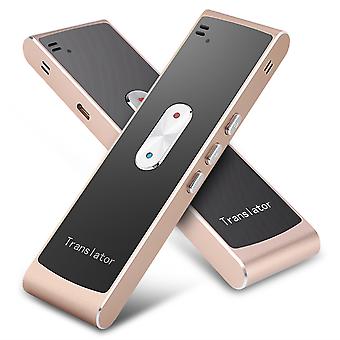
Intelligent Multilanguage Translator - Real Time Two Way Interpretation (Gold)
Welcome to our shop! Here are the details of the translator:
Features:
1. Long use time, high battery capacity.
2. Built-in high-quality speakers, adapt to open and noisy environments.
3. The music is played by Bluetooth speaker.
4. Support multi-language translation, high accuracy, and fast response time.
5. Language type and photo translation function will be added later. Please pay attention to the APP update.
Specification:
- Bluetooth Version: BT4.2
- Battery: 800mAh
- Charging: 1A charging current is about 3 hours
- Speaker: 4Ω3W
- Range: within 10 meters
- Work Time: 8 hours of continuous use, 1 month of standby time
- Microphone: at the front end
- Charging port: on the right
- Power output: on the right
- SPK port: at the front end
- Power On/Off Key: Located on the right side. Press and hold to turn the power on/off
- Key A: Press and hold voice language B and translate A with language
- Multi-function button: pause/play sound, answer/hang up
- B key: keep voice A and to be translated into language B
- Volume+: Press this button to increase the volume
- Volume -: Press this button to decrease the volume
- Translation language: Chinese, English, Cantonese, English, Australian, Hindi, Japanese, Korean, French, Spanish, Latin, Thai, Russian, Brazilian, Portuguese, German, Italian, Greek, Polish Language, Danish, Finnish, Czech, Romanian, Swedish, Hungarian, Vietnamese, Indonesian, Catalan, Hindi, Malay, Norwegian, Slovak, Turkish, Arabic-International, Arabic-Egypt, Arabic-Saudi Arabia, Hebrew, etc.
- Color: Black, Gold, Blue (optional)
- Package Size: about 18*6.5*2cm/7.09*2.56*0.79inch
Package List:
- 1 * Translator
- 1 * Instruction Manual
- 1 * Data Cable
Before using the translator, please follow these steps:
1. The translator must be connected to a Bluetooth enabled smartphone.
2. Install the mobile app.
3. Download the for iOS app from the for Apple App Store.
4. Download the for Android app from the for Google Play Store.
5. Register in the application form.
6. Fill in your information during registration or simply click "Save" to the home page.
7. Click on "Translator" at the bottom of the application's home page navigation bar.
Precautions:
1. Press and hold the button for 1 second or longer before the presentation, otherwise the recognition may be incorrect.
2. When connected to the translator, the light will turn green. Translation can only be used when the green light is on.
3. For iOS users, after connecting to the for iOS app, the user must remain in the translator dialog interface when using the translator, otherwise, it will not be available. For Android users, Translator is once connected to the mobile app in the service.
100% Satisfaction: Our customers are our top priority. If you find any product problems after receiving the goods, such as damage and incorrect quantity of goods, please contact the seller immediately. We try our best to provide you with satisfactory after-sales service.
-
Fruugo ID:
289045943-645365422
-
EAN:
9497249116196