Description
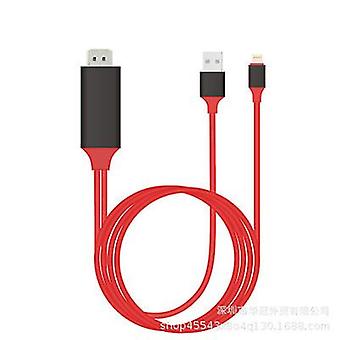
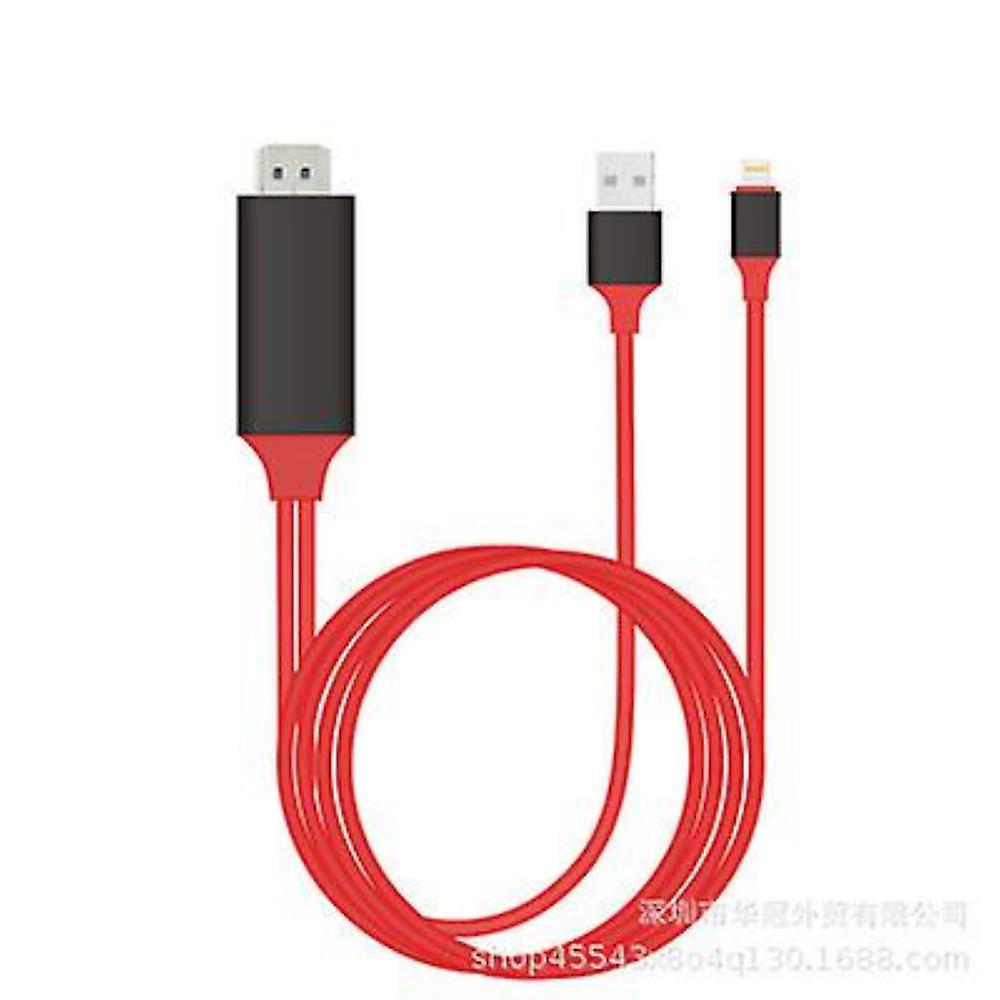
Mobile Hd Tv Connector
This 1080P HD phone to tv HDMI cable is of USB female interface design, you can connect your devices with your lightning, Type-C, Micro USB cable, and charge your phone at the same time.Plug and Play: Easy to use, don't need any app and parts, the hdmi phone to TV cable will automatically connect the device, you can sync the data more conveniently. (For some Android phones may need the APP to use this hdmi cable.)1080P HD Display: You can easily share your favorite music, video, games with your family and friends on HDTV in real time. The HDMI cable can be connected to HD TV, monitor, projector. It also supports video calling from FaceTime, Skype, WhatsApp, etc. And support streaming videos, pictures, games, slideshows on Facebook, YouTube, Instagram, Twitter, Reddit, Pinterest, Snapchat, IDMB, Microsoft Office, etc. PAID VIDEOS MAY NOT SUPPORT.High Quality: Adopted imported chip and oxygen-free copper core ensure the transmission speed of the HDMI adapter, reduce signal attenuation; Aluminum alloy shell, stylish and durable, good heat dispassion performance.Wide Compatibility: Compatible with ALL Apple lightning devices (IOS 8.0 and Above) and Android devices (Android 5.0 and Above).HDMI to Lightning: iPhone 11/ 11 Pro/ 11 Pro Max/ XS Max/ XS/ XR/ X/ 8/ 8 Plus/ 7/ 7 Plus/ 6s/ 6s Plus/ 6/ 6 Plus/ 5s/ 5/ SE/ SE (2nd Generation) iPad Pro/ iPad Air 2/ iPad mini 4/ iPod and more.HDMI to Type-C/ USB-C: Samsung Galaxy S20+/ S20/ S20 Ultra/ S10+/ S10/ S10 Edge/ S9+/ S9/ S8+/ S8/ Note 10 Plus/ Note 10/ Note 9/ Note 8; LG V20/ V30/ V40/ LG Stylo 2 / Motorola G6/ G7/ G8/ Oneplus 8/ 8 Pro/ 7T/ 7/ 6T/ 6/ 5T/5 /Huawei P40/ P40 Pro/ P40 Pro Plus/ P30 Pro/ P30/ P20 AND other type-c / usb-c devices.HDMI to Micro USB: Samsung S7, S7 Edge, S6, S6 Edge, J7/ J6/ J3/ LG...How to Use:Step 1: Connect itInsert the USB port into the 5V/1A adapter, or 5V/2A USB interface on the TV / Monitor or Projector;Insert the HDMI port into the HDMI Port of TV / Monitor or Projector;Insert the Original power cable of your device into USB female port.Step 2: Trust for Different DevicesFor IOS Devices:Connect the mobile phone and the cable with the USB cable, just click "Trust", wait 10 seconds to synchronize the phone screen with the TV.For Android Devices: (For some Android phones may need the APP to use this hdmi cable.)(1) Please open your cellphone "Developer Options", then choose "USB debugging", then click "OK", trust the devices.(2) If there is no "Developer Options" on your phone, please click 6 times continuously in "Build number" of the "Software info" in the setting, then "Development Options" will be opened automatically.PLEASE NOTE: Connect an 5V 1A adapter with USB end to power up or plug in TV / Projector / Monitor USB port. More details please read the user manual.Specifications:Type: USB To HDMI Cable Phone to TV Adapter (Universal/ Android/ IOS)Color: Black-RedLength: 3.3 Ft/ 1MMaterial: Aluminum Alloy + PVCConnector types:Input: USB InterfaceOutput: HDMIPower Supply: USB 2.0Whats in the box:1 X USB HDMI Cable1 X User Manual
-
Fruugo ID:
116529185-244725119
-
EAN:
831162696950
Product Safety Information
Please see the product safety information specific to this product outlined below
The following information is provided by the independent third-party retailer selling this product.
Product Safety Labels

Safety Warnings:
Not suitable for children under 6 years old, adult accompaniment is recommended.
Delivery & Returns
Dispatched within 24 hours
Shipping from China.
We do our best to ensure that the products that you order are delivered to you in full and according to your specifications. However, should you receive an incomplete order, or items different from the ones you ordered, or there is some other reason why you are not satisfied with the order, you may return the order, or any products included in the order, and receive a full refund for the items. View full return policy